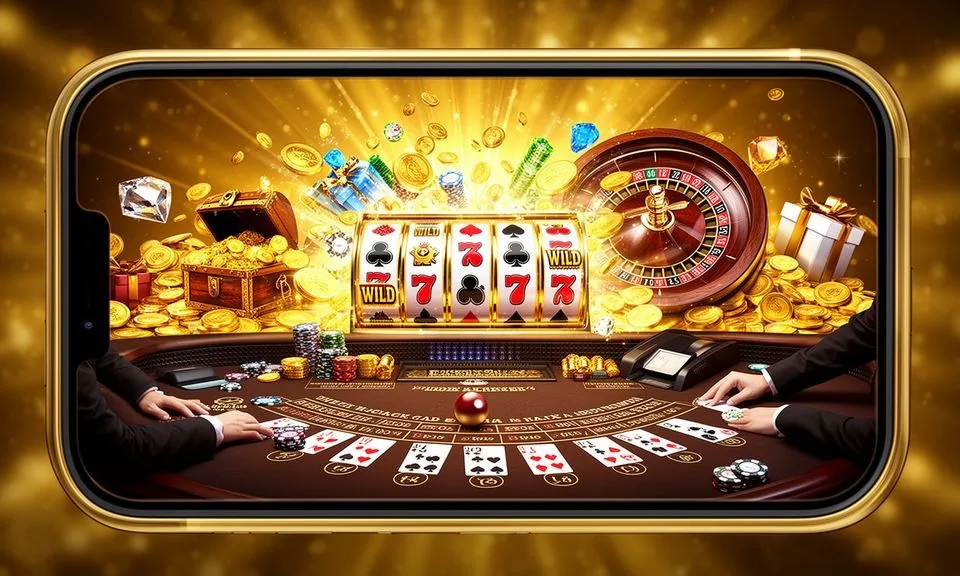
The nogad8 lobby runs through your mobile browser — no store download required to start browsing games, checking your account or reviewing supported payment options like Nagad, Rocket and Bank Transfer. Open the site on any current smartphone browser and you reach the full lobby layout, including slots, live tables and cricket-led sports categories.
When you open nogad8 on a mobile device, the layout shifts into a single-column discovery rail — game cards stack vertically, category filters sit at the top, and the account menu collapses into the header.
MOBILE PAGE BEHAVIOUR
Four Things the nogad8 Mobile Layout Does Well
The responsive design of nogad8 is built around how people in Bangladesh actually browse — on a mid-range Android, on a Rocket-linked account, checking in between other things. These four behaviours are visible the moment you open the site on a phone.
Single-tap category switch
Category filters across the top of the lobby let you move from slots to live tables to the sportsbook in one tap. The filter row stays fixed as you scroll the game rail below it, so you never lose your place in the catalogue while exploring.
Wallet visible on every screen
Your account balance sits in the header and stays visible whether you are on a game page, a deposit form or the lobby itself. Nagad and Rocket wallet routes appear in the payment section of your account, not buried in a separate menu.
Game cards resize for screen
Slot and table game cards from Spadegaming, JDB, Habanero and Bigtime Gaming render at thumb-tap size on small screens. Card art, game name and category label all show without horizontal scrolling on standard Android or iOS screen widths.
Account recovery on mobile
If you forget your credentials, the recovery path is accessible from the login screen without switching to a desktop. Follow the published steps shown on the recovery page — the form works on the same mobile browser session you are already in.
ACCESS STEPS WALKWAY
Mobile Access in Three Browser Steps
Getting into the nogad8 lobby from a mobile device does not require an app-store visit or an APK file. The browser path is the confirmed route. Open your preferred Android or iOS browser — Chrome, Firefox and Safari all render the site correctly. Navigate to nogad8 and check that the address bar shows the correct domain before you type any credentials.
Step 1 — Open the site
Type nogad8 directly into your mobile browser. Do not use a search result shortcut until you have confirmed the domain matches exactly.
Step 2 — Verify the domain
Check the address bar before logging in. The published domain is nogad8 — if it reads differently, close and re-navigate. This step protects your account credentials from phishing addresses.
Step 3 — Sign in from the header
Tap the account icon at the top of the responsive layout. Enter your credentials on the login form. Your wallet, game history and current lobby access all open from the authenticated home screen.
Step 4 — Check for app build notice
Look for any in-lobby banner about a dedicated app. If one is live, that banner will link the current install or store page. If no banner appears, the browser version is the active access route.
DEVICE CHECK LIST
Browser and Device Compatibility for nogad8
Before you run into a layout issue on your device, check these compatibility notes. They reflect what the site's responsive design is built to handle — not an invented specification sheet.
Browser version
Use a current release of Chrome, Firefox or Safari. Older browser versions may not render the game-card animations or the account header correctly. Check your browser's About page to see if an update is available.
Screen layout
The lobby is designed for portrait orientation on phones and landscape on tablets. Rotating the screen after the page loads will reflow the layout. If cards appear cut off, a browser refresh in the correct orientation usually resolves it.
Account requirements
Mobile access to the wallet — including Nagad, Rocket and Bank Transfer routes — requires a verified account. Unverified sessions can browse the lobby but cannot reach deposit or withdrawal forms. Complete account verification through the published ID steps shown in your account settings.
Currently supported devices
The site's device compatibility page lists confirmed screen sizes and OS versions. Check that page rather than relying on assumed compatibility. If your device is not listed, test the browser version and report display issues via the published support route.
Connection speed
Live casino table streams need a stable connection. Slots and sportsbook pages load adequately on a standard mobile data connection. If a live table feed drops, refresh the game page rather than the entire site to reconnect faster.
MOBILE HELP ROUTES
Getting Help Inside the nogad8 Mobile Site
If something is not working on your mobile session — login issues, a game not loading, a wallet route showing the wrong status — the support routes published on the site are the confirmed channels. Check the Help section inside your account first, because common device issues have written steps there.
Live chat from mobile
The live chat icon appears on the mobile layout in the same position as desktop — bottom corner of the screen. Tap it while you are signed in so support can see your account context. Availability hours are published in the Help section.
Help centre articles
The Help section inside the site covers login recovery, wallet connection steps for Nagad and Rocket, and game loading errors specific to mobile browsers. Search by keyword on the Help page to find the relevant article before opening a chat.
Account recovery path
If you cannot sign in at all, use the recovery link on the login screen. It works within the mobile browser and does not require you to switch to a desktop. Follow the fields and identity steps shown there — they are the published verification route.
ACCESS TRUST CHECKS
Four Mobile Access Checks That Protect Your Account
Using the nogad8 mobile site safely comes down to a few consistent habits. These checks are things you can do yourself on any device — they do not require software or special settings.
Confirm the domain every session
Before entering a password, check that the address bar shows nogad8. Bookmark the verified domain after your first confirmed login so you can return to it directly. A mismatched domain is the most visible sign of a phishing page targeting account credentials.
Review published device guidance
The site publishes device and browser guidance in the Help section. That page is the source of truth for confirmed compatibility — not third-party forums or search snippets. Check it if a new device behaves differently from your usual one.
Protect your credentials
Do not save your nogad8 password in a shared device browser. Use the account's published password-change route if you believe your credentials were exposed. The route is inside the account settings page, accessible from the header menu on mobile.
Use the published recovery path only
Account recovery is handled through the recovery link on the login screen. nogad8 does not initiate recovery through third-party messaging apps or unverified email addresses. If you receive an unsolicited recovery message, report it via live chat.
APP ACCESS QUESTIONS
Your nogad8 App Questions Answered
These are the questions we hear most from people trying to reach the nogad8 lobby on a phone or tablet. Each answer reflects what is currently confirmed about the mobile access setup.
Does nogad8 have a native app I can install from the Play Store or App Store?
As of now, the confirmed access route is through the mobile browser at nogad8. If a dedicated Android or mobile browser access becomes available, a banner inside the lobby or the app page will state that clearly. We do not point you to any store listing that has not been published there.
Can I access my Nagad or Rocket wallet through the mobile site?
Yes — once your account is verified, the wallet section inside your account settings shows the payment routes configured for your region, including Nagad, Rocket and Bank Transfer. The same wallet page available on desktop is accessible from the header menu on the mobile layout.
Which browser works with the nogad8 mobile site?
Current releases of Chrome, Firefox and Safari all render the nogad8 responsive layout correctly. Keep your browser updated to avoid rendering issues with game cards or the account header. If a specific browser behaves unexpectedly, the Help section lists confirmed compatible versions.
Is there an APK file I can download to install nogad8 outside the browser?
We do not direct you to an APK file unless that option is formally published on the site. Unofficial APK files carry security risks and are not distributed through our published channels. Use nogad8 in a verified browser as the safe and confirmed access method.
What do I do if the lobby does not load properly on my phone?
First, refresh the page in portrait orientation and clear your browser cache. If the issue continues, check the Help section for device-specific guidance. For persistent problems, the live chat channel — accessible from the bottom corner of the mobile layout — connects you to support with your account context visible.
Can I browse games like Cricket Stats Hub or Crash SparkBurst on mobile without logging in?
The lobby and game cards — including titles like Cricket Stats Hub and Crash SparkBurst — are visible to unverified sessions. To launch a game and use your wallet, you need to be signed in. Start the account process from the header login button on the mobile site.
 Sports / Slots